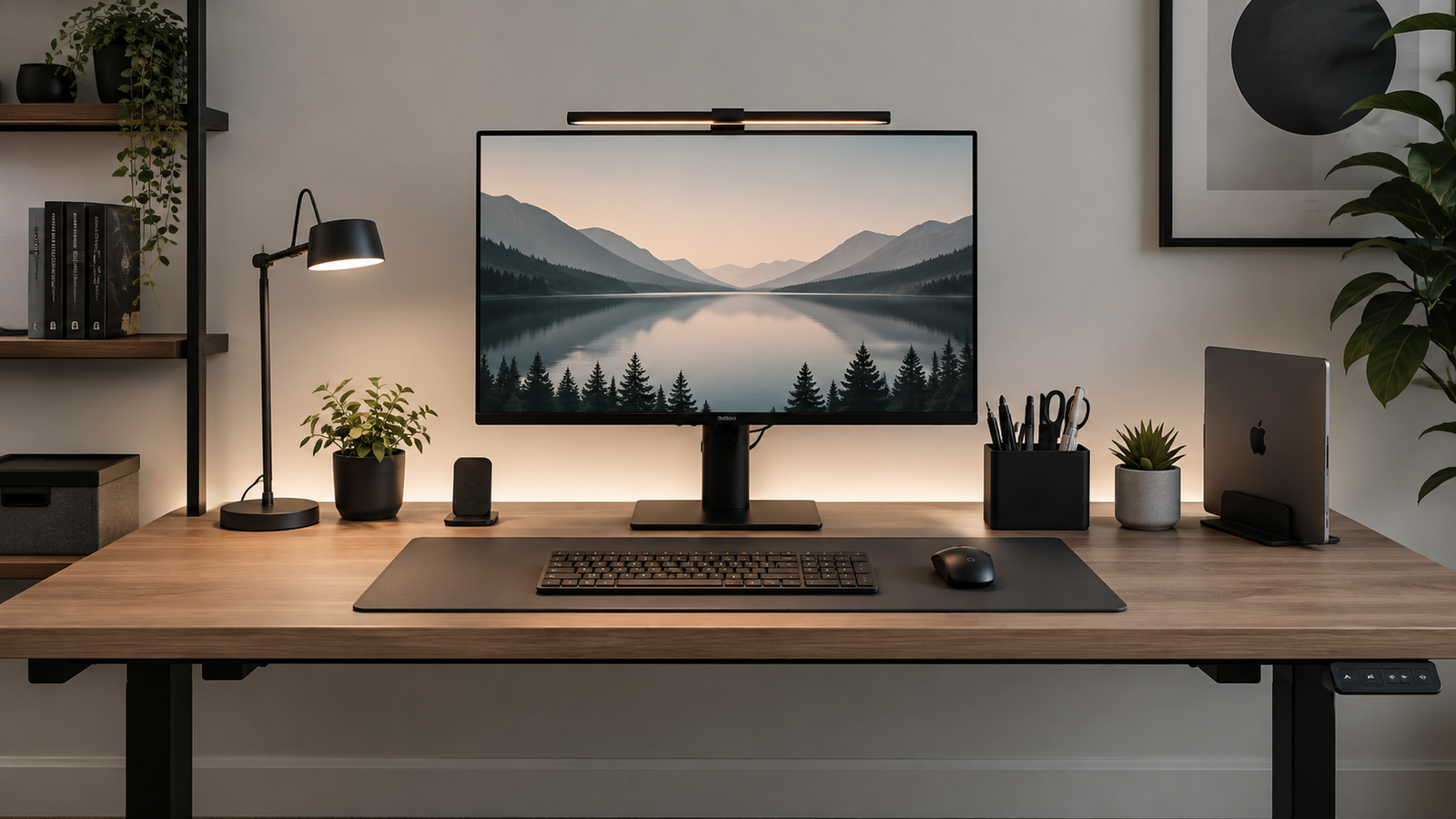
Minimalist desk setup ideas are not about having an empty desk.. It is about creating a workspace where every item has a clear purpose and nothing gets in the way of your work.
A well-planned setup can give you enough room to work, keep essential equipment within easy reach, and make the desk easier to maintain throughout the day. The goal is a space that feels clean without sacrificing the tools and comfort you need to work well.
In this guide, you’ll learn how to build a minimalist desk setup from the space and equipment you already have. We’ll cover practical ways to reduce clutter, manage cables, position your main equipment, choose useful accessories, and create a workspace that fits the way you actually work.
What Makes a Desk Setup Minimalist?
A minimalist desk setup focuses on purpose, function and simplicity. It doesn’t mean removing everything from your workspace or copying a particular aesthetic.
Keep Only What Supports Your Work
Start by looking at what you use every day. Your computer, keyboard, mouse, lighting and other essential equipment may deserve a permanent place on the desk. Items you rarely use may be better stored in a drawer, cabinet or nearby shelf.
The aim isn’t to own fewer things for the sake of it. The aim is to keep your working surface focused on what you actually need.
Give Everything a Purpose
Before adding an item to your desk, ask a simple question: What problem does this solve? An organizer might keep frequently used items together. A monitor stand might free up desk space and improve screen positioning. A cable tray might keep power cables and adapters underneath the desk.
If an item doesn’t serve a useful purpose, consider keeping it somewhere else.
Protect Your Working Space
Your main work area should remain easy to use. You need enough room to move your mouse, type comfortably, write notes or handle whatever tasks your work requires. A desk can look minimalist in a photograph while still being frustrating to use.
Leave the space you use most often as clear as possible.
Reduce Visual Noise
Visible cables, unused gadgets, piles of paper and too many decorative objects can make a workspace feel busy. You don’t need to remove every personal item. Instead, reduce the things that compete for your attention.
A simple colour direction, controlled cables and a small number of purposeful accessories can make a bigger difference than filling the desk with matching products.
Start With the Desk, Not the Accessories
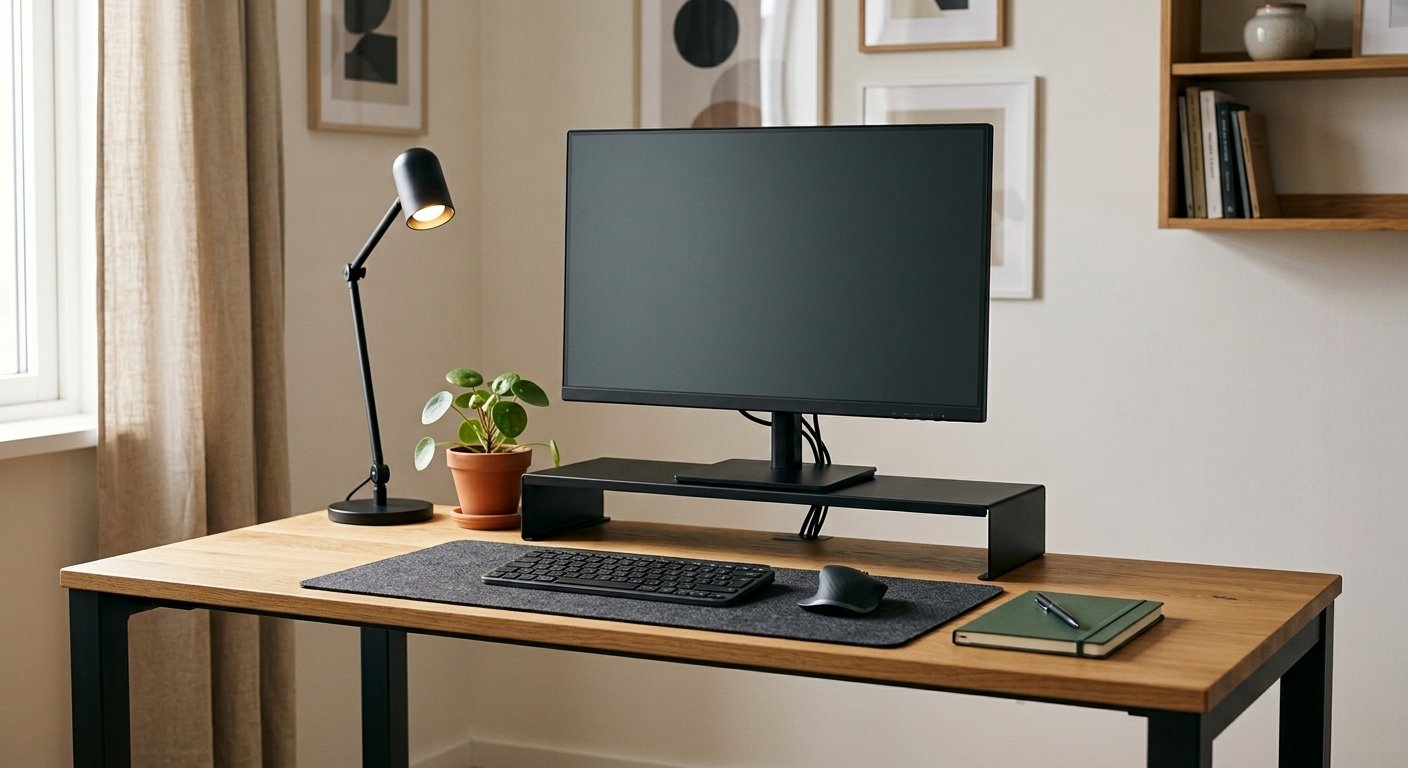
A common mistake when creating a minimalist desk setup is buying organizers, stands and accessories before deciding what actually needs to stay on the desk. Start with the space you already have. Once you understand what you use and where you use it, you can decide what deserves a permanent place and what should be stored elsewhere.
Clear Everything From the Surface
Remove everything from your desk, including items you normally keep there. This gives you a clear starting point and makes it easier to see how much of your desk is being used by things that you rarely touch.
You don’t need to throw anything away. Move the items to a nearby surface temporarily so you can sort them properly.
Sort What You Actually Use
Divide everything you removed into four groups: daily essentials, occasional-use items, things that belong elsewhere, and items you no longer need.
- Daily essentials — items you use during most work sessions.
- Occasional-use items — things you need sometimes but don’t need sitting on the desk all day.
- Items that belong elsewhere — things that have a place outside your workspace.
- Items you no longer need — things that can be removed, stored or donated.
This simple sorting process helps you separate a useful workspace from a crowded one.
Put Back Only the Essentials
Start rebuilding the desk with your daily essentials. Position your main equipment first, such as your laptop or monitor, keyboard, mouse and lighting. Then leave enough open space for the work you actually do.
Only add an occasional-use item if keeping it nearby saves you time or makes your workflow easier. The result should feel intentional rather than empty. You are creating space for your work, not simply removing objects.
9 Practical Minimalist Desk Setup Ideas
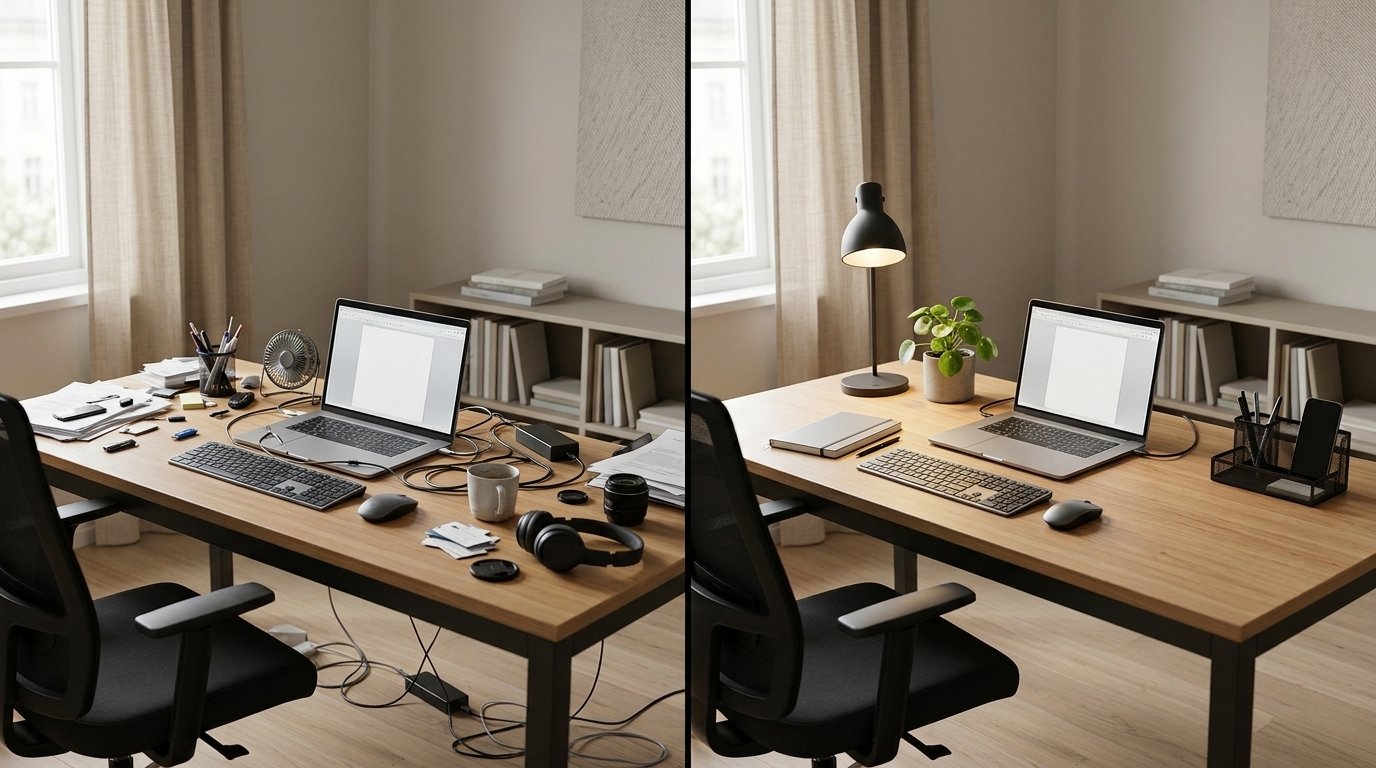
Once you’ve removed the unnecessary items from your desk, the next step is to make the remaining setup work better. These ideas focus on space, organisation, comfort and the way you actually use your workspace.
Keep the Main Work Surface Clear
Your main work area should have enough open space for the tasks you perform most often. Keep your keyboard, mouse and other daily essentials within easy reach, but avoid filling every available part of the desk. A clear area gives you room to write, handle documents or move between tasks without constantly rearranging your equipment.
If an item is useful but rarely needed, store it nearby instead of giving it permanent space on the desktop.
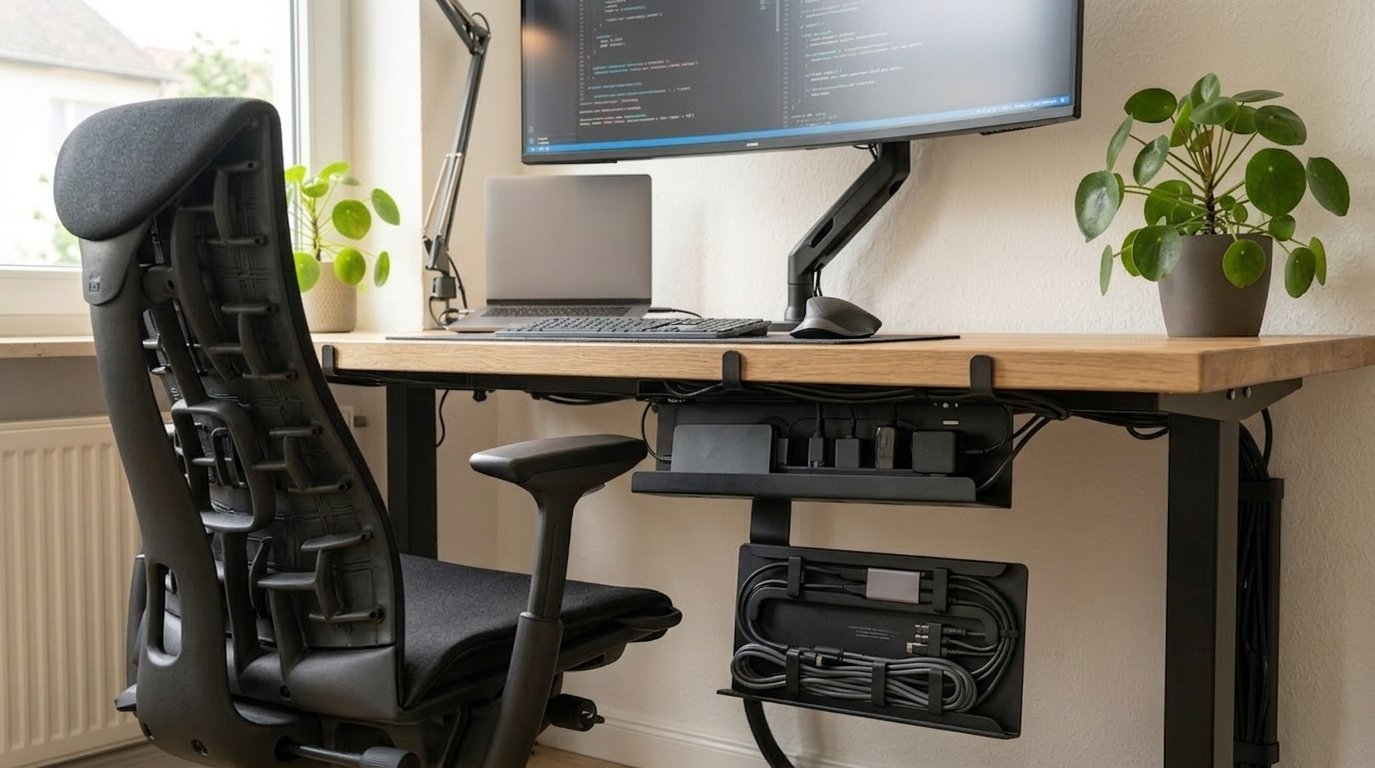
Hide and Control Your Cables
Visible cables can quickly make a clean desk look cluttered. Start by identifying where each cable needs to go. Route them toward the back of the desk, group cables that follow the same path, and keep excess length out of sight where practical.
- Under-desk cable trays
- Cable clips
- Velcro cable ties
- Cable sleeves
- Desk grommets
You don’t need to hide every cable completely. The goal is to keep cables organized so they don’t spread across the working surface
Raise Your Laptop or Monitor
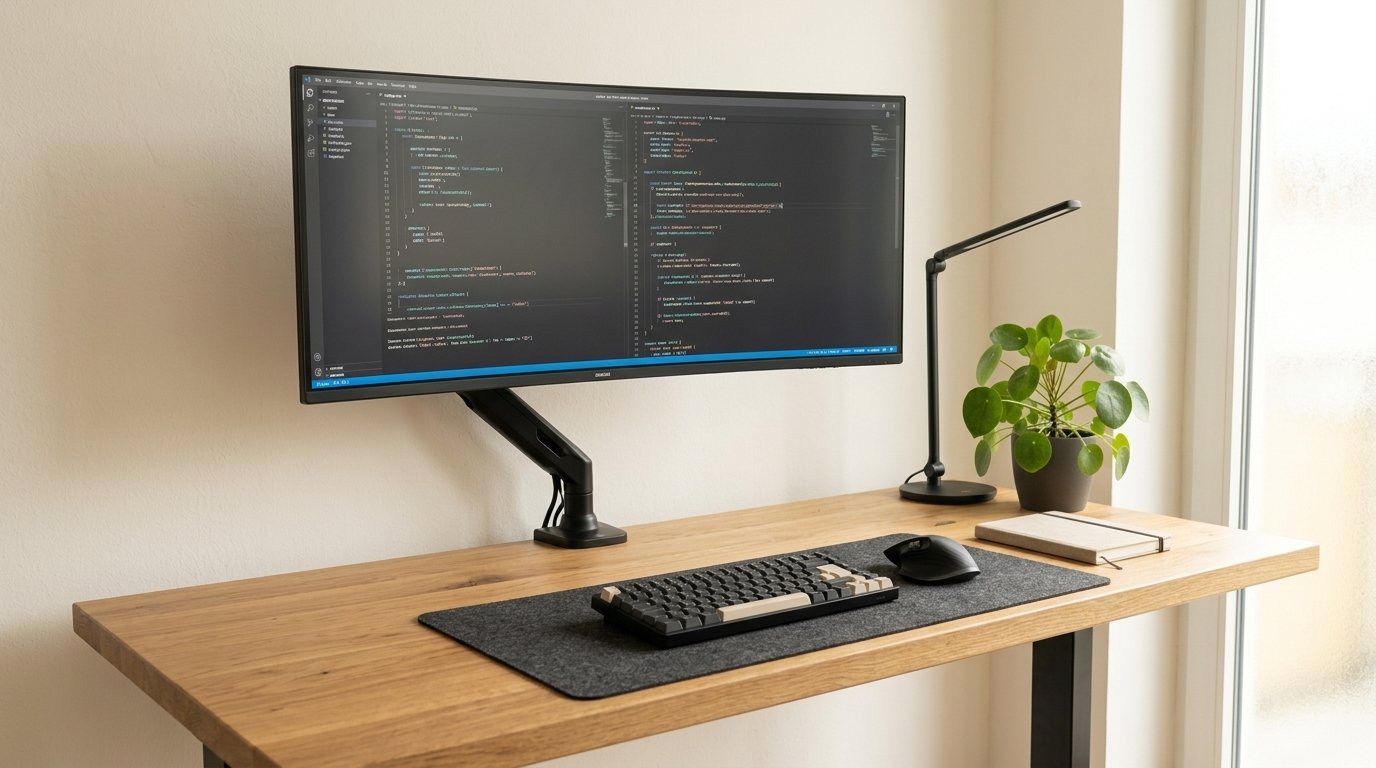
Your screen takes up a significant part of your visual workspace, so its position matters. A laptop stand or monitor arm can raise the screen and free some space underneath it. This can also make it easier to create a clean layout around your keyboard and other equipment.
Position the screen so you can work comfortably without repeatedly adjusting your posture to see it clearly. For a minimalist setup, a monitor arm can be especially useful because it reduces the amount of equipment sitting directly on the desk.
Choose One Main Desk Organizer
Organisation can become clutter when you use too many organisers. Instead of giving every small item its own container, start with one organiser for the things you regularly use. Pens, notebooks, charging accessories or other small tools can stay together instead of spreading across the desk.
If you find that the organiser itself is becoming full, that’s a sign to review what you’re storing rather than automatically buying another one.
Use Lighting That Doesn’t Consume Your Desk
Good lighting doesn’t require a large lamp occupying one corner of your workspace. Depending on your desk, you could use a slim desk lamp, a monitor light bar, natural light from a nearby window, or an adjustable wall or shelf light.
Position the light so it supports your work without creating distracting reflections on your screen. The best lighting choice is the one that works with your desk and your working hours rather than adding another object simply because it looks good.
Keep Accessories Purposeful
A minimalist desk can still have accessories. The difference is that each accessory should earn its place. A desk mat can define the main work area. A headphone hook can keep headphones off the desk. A charging dock can reduce loose cables and devices.
Before adding anything, ask: Does this solve a problem or make your workflow easier? If the answer is no, it may be better left off the desk.
Choose a Consistent Visual Direction
A clean workspace doesn’t need to use a single colour, but too many competing colours and finishes can make the desk feel visually busy. Choose a simple base and repeat a few materials or colours across your equipment and accessories.
For example, a workspace might combine black and natural wood, white and light wood, grey and black, or neutral tones with one muted accent colour. The goal isn’t to make every item match perfectly. It is to create enough consistency that the equipment feels like part of one workspace.
Create a Clear Work Zone
Arrange your equipment around the way you work. Your monitor, keyboard and mouse should form the main work zone. Frequently used items should stay close enough to reach without interrupting your workflow.
Less frequently used equipment can move to the edge of the desk, a shelf or storage area. Think of your desk as a working system rather than a collection of objects. The position of each item should make the next task easier.
Leave Some Empty Space
One of the easiest ways to make a desk feel minimalist is to stop filling every available surface. Empty space gives you room to work and makes it easier to reset the desk at the end of the day. It also means you can temporarily place something on the desk without immediately creating clutter.
You don’t need to measure how much empty space you should have. Start with the work area you use most and protect it. A minimalist workspace should give you room to work, not simply room to look at.
Make Your Setup Work for Your Type of Workspace
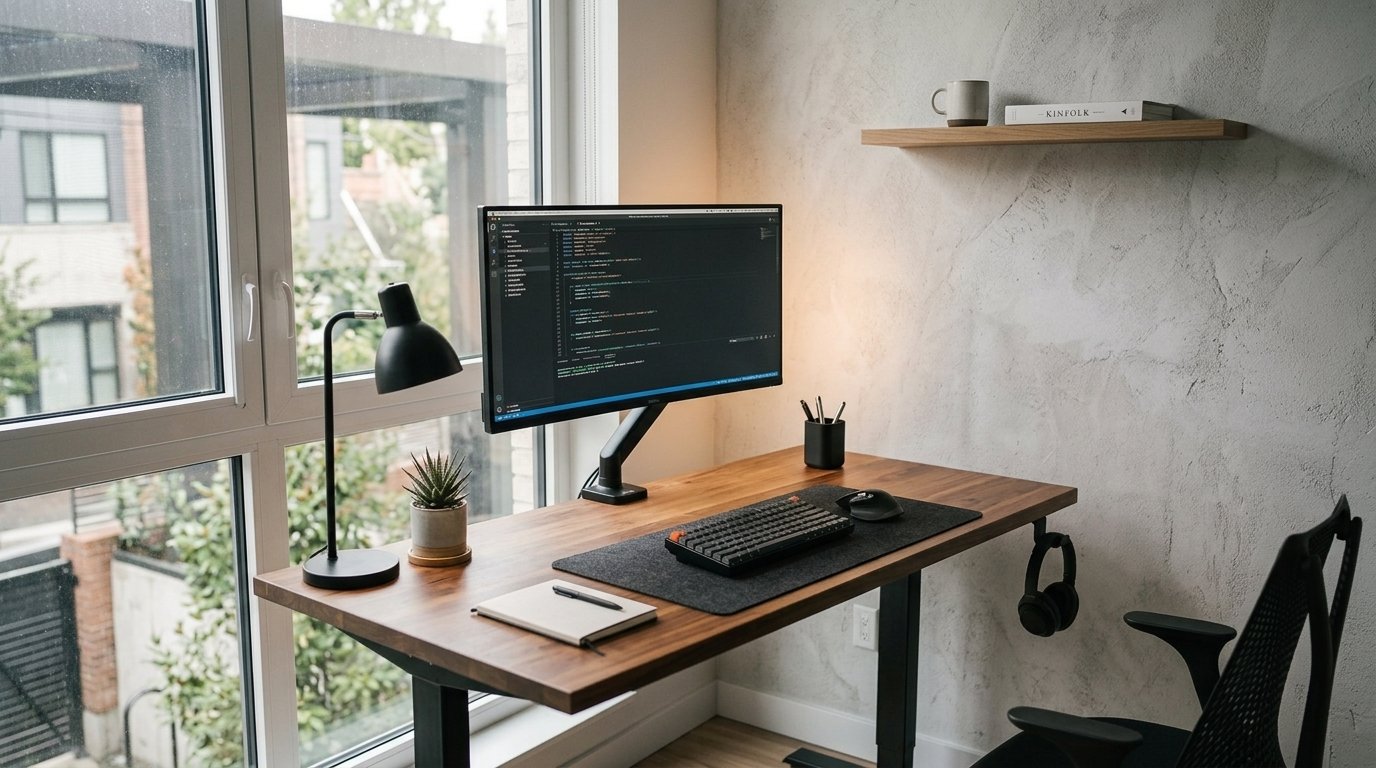
The best minimalist desk setup depends on the space you have and the way you work. A large home office gives you more freedom, while a small bedroom desk requires you to make better use of limited space. The same principles still apply: keep useful equipment close, control clutter and protect your main working area.
Small Desk Setup
With a small desk, every centimetre matters. Prioritise the equipment you use every day and consider using vertical space to keep less frequently used items off the desktop. A laptop stand, monitor arm or wall-mounted storage can give you more usable working space without requiring a larger desk.
Large Desk Setup
A larger desk gives you more flexibility, but it can also encourage you to fill empty space with unnecessary equipment and accessories. Keep the main work zone focused around your monitor, keyboard and mouse, then use the remaining space intentionally.
Extra space can be useful for writing, a second device or equipment related to your work. You don’t need to fill every corner simply because the space is available.
Shared or Multi-Purpose Workspace
If you share your workspace or use the same desk for different activities, give each activity a defined area. Keep your main work equipment together and use drawers, shelves or portable storage for items that belong to other tasks.
This makes it easier to switch between activities without allowing the entire desk to become cluttered.
Remote Work Setup
A remote-work desk needs to support long periods of focused work. Give priority to a comfortable screen position, reliable lighting, a keyboard and mouse that suit your working habits, and enough space to keep your daily essentials organised.
Keep personal items and non-work equipment to the side so they don’t compete with your main work zone during the day.
Student Desk Setup
A student desk often needs to support studying, writing and computer work in the same space. Keep your laptop or monitor, keyboard, mouse and essential study materials within reach, while storing books and supplies that you aren’t using.
If the desk is small, use vertical storage or a nearby shelf to keep study materials from taking over the main working area.
Gaming or Creative Workspace
A gaming or creative desk may need more equipment than a typical minimalist workspace. The goal isn’t to remove useful equipment. Instead, group related items together, manage cables carefully and keep the main controls within easy reach.
For example, speakers, controllers, drawing equipment or recording gear can have defined storage locations so they don’t permanently occupy the main working surface.
Whatever type of workspace you have, the same rule applies: keep the equipment that supports your work, give everything a sensible place and protect enough open space to use the desk comfortably.
Minimalist Desk Setup Mistakes to Avoid
Minimalism can go wrong when you focus too much on how the desk looks and not enough on how it works. Avoiding a few common mistakes will help you create a workspace that stays practical over time.
Buying Too Many Accessories
Buying several accessories at once can make a desk look more organised temporarily, but it often creates another form of clutter. Start with the problems you actually have and buy a solution only when you know it will improve your workspace.
A cable tray, monitor arm or organiser can be useful. Buying all three simply because they appear in other desk setups can leave you with equipment you don’t actually need.
Removing Things You Actually Need
Minimalism doesn’t mean getting rid of equipment that genuinely supports your work. If you use a second monitor, notebook, microphone or other tool regularly, it can have a place in your setup.
The better question is whether each item supports your workflow. Remove things that create clutter without providing enough value, but keep the tools that help you work effectively.
Ignoring Ergonomics
A minimalist desk should still be comfortable to use. A clean-looking setup is not useful if your screen is too low, your keyboard is poorly positioned or your chair leaves you uncomfortable after a long work session.
Before changing the appearance of your desk, check the position of your monitor, keyboard and mouse. A small adjustment can improve your working position without adding another accessory to the desk.
Using Poor Lighting
A desk can look perfectly organized and still be difficult to work at if the lighting is poor. Avoid relying on a single harsh light source or positioning a lamp where it creates reflections on your screen.
If your workspace is near a window, use the natural light when it works well, but position your screen to avoid distracting glare. A simple change in desk position can sometimes solve a lighting problem without adding another lamp.
Forcing Everything Onto the Desk
A minimalist desk does not need to hold every item you own. Chargers, notebooks, spare cables, documents and rarely used equipment can live in drawers, shelves or another nearby storage area.
Copying Someone Else’s Setup
A setup can look perfect in a photo and still be wrong for the way you work. Use other workspaces for ideas, but choose equipment and layouts based on your own tasks, available space and daily habits.
Prioritizing Appearance Over Comfort
A clean desk should make your work easier, not force you into an uncomfortable position. Check your screen height, keyboard position, lighting and chair before making aesthetic changes. A setup that looks good but becomes uncomfortable after several hours needs to be adjusted.
Letting Clutter Return
A minimalist desk can become cluttered again surprisingly quickly. New gadgets, papers, cables and everyday items gradually find their way onto the surface unless you have a simple routine for clearing them.
Give everything a regular home and take a few minutes to reset the desk after a work session. Small habits are easier to maintain than waiting until the workspace needs a complete clean-up.
Making the Setup Too Complicated
Minimalism works best when the system is simple enough to maintain. If you need several organisers, complicated storage rules or constant rearranging to keep the desk looking clean, the setup may be doing too much.
Start with the simplest arrangement that supports your work. You can add something later if you identify a real problem that needs solving.
How to Maintain a Minimalist Desk Setup
A minimalist desk is easier to maintain when you reset it after each work session. Return your keyboard, mouse and other daily items to their normal positions, remove anything that does not belong and clear away cups, papers or other temporary items.
This doesn’t need to become a long cleaning routine. A few minutes at the end of the day can leave the workspace ready for your next session.
Give Every Item a Home
Clutter returns when items don’t have a clear place to go. Give chargers, notebooks, stationery, headphones and other frequently used items a defined storage location so you don’t have to decide where they belong every time you finish working.
Review the Desk Regularly
Your work changes over time, so your desk should be reviewed occasionally. If something has stopped being useful, move it away from the main work area. If a tool has become part of your daily workflow, give it a proper place.
A quick review every few weeks is enough for most workspaces. Look at what has accumulated, what you actually use and whether anything is making the desk harder to work at.
Keep a Small Reset Routine
Your reset routine doesn’t need to take long. Clear temporary items, return your daily tools to their usual positions and remove anything that has no reason to stay on the desk.
The simpler the routine, the easier it is to repeat. A few minutes of maintenance can prevent the need for a much longer clean-up later.
Keep Digital Clutter Under Control
Your physical desk is only part of your workspace. A crowded computer desktop, too many open applications or poorly organised files can also make it harder to find what you need. Keep your digital workspace simple by removing unused files, organising active projects and keeping frequently used tools easy to access.
A minimalist workspace works best when your physical and digital environments support the same goal: fewer distractions and easier access to the things you actually need.
A Simple 5-Minute Desk Reset
You don’t need a long cleaning session to keep your desk organised. A simple five-minute reset at the end of the workday can remove temporary clutter and leave your workspace ready for the next session.
1. Remove Items That Don’t Belong
Return cups, papers, chargers, packaging and personal items to their proper places. If something doesn’t belong on the desk, don’t leave it there simply because you’ll deal with it later.
2. Reset Your Main Work Zone
Put your keyboard, mouse and other daily equipment back in their normal positions. Clear the space around them so your main working area is ready for the next task.
3. Check Your Cables
Make sure charging cables are returned to their usual route and that no loose wires have spread across the main work area. A quick cable check prevents small bits of clutter from becoming a larger problem.
4. Clear Temporary Items
Remove cups, food, packaging, receipts, loose papers and anything else that arrived during the day. Put each item where it belongs instead of creating a temporary pile on another part of the desk.
5. Prepare for Tomorrow
Put your keyboard, mouse and other daily equipment back into position. If you use a notebook or planner, leave it ready for the next session. The goal is to make tomorrow’s workspace usable without another round of rearranging.
Five minutes is enough because the desk has already been simplified. You are maintaining an existing system rather than cleaning up a workspace that has no clear structure.
What to Buy for a Minimalist Desk Setup
You don’t need a long shopping list to create a minimalist desk. Start with the problems you need to solve, then choose accessories that improve your workspace without taking over the surface. Some setups may need only one or two additions, while others may benefit from several carefully chosen tools.
Desk Mat
A desk mat can define your main working area and give the keyboard and mouse a consistent surface. It can also protect the desk from scratches and make the workspace feel more organized without adding much visual complexity.
Choose a size that fits your actual desk rather than buying the largest mat available. You want enough room for the equipment you use without covering the entire surface unnecessarily.
Laptop Stand or Monitor Arm
A laptop stand can raise your screen and free space underneath it. A monitor arm can do the same for a monitor while allowing you to adjust its position more precisely. These accessories can improve the layout because they create usable space rather than simply occupying more of it.
Choose between the two based on your equipment and workflow. If you regularly work from a laptop, a stand paired with a separate keyboard and mouse can make the setup more comfortable. If you use a desktop monitor, an adjustable arm can reduce the footprint of the monitor stand.
Cable Management Kit
If visible cables are one of the main sources of clutter on your desk, a basic cable-management kit can make a noticeable difference. You may need only a few cable clips, reusable cable ties and an under-desk tray or raceway rather than a large collection of accessories.
Start by reducing unnecessary cables, then give the remaining cables a clear route behind the monitor, underneath the desk and down toward the power outlet. This approach keeps the visible part of the setup much cleaner.
Compact Desk Organizer
If small items regularly spread across your desk, one compact organizer can give them a defined home. Choose one that matches the amount of stationery or small equipment you actually use instead of buying a large organizer with compartments you won’t fill.
Simple Desk Lighting
Choose lighting based on how and when you work. A slim desk lamp or monitor light can provide focused illumination without taking up much space. If your workspace already receives good natural light, you may need less additional equipment. Keep the light positioned so it doesn’t create distracting reflections on your screen.
Wireless Keyboard and Mouse
A wireless keyboard and mouse can reduce the number of cables crossing your desk and make the main work area easier to arrange. They are especially useful when you want to keep the centre of the desk clear and move your equipment when switching between tasks.
Don’t replace working equipment simply for the sake of having a wireless setup. The benefit comes from reducing unnecessary visual and physical clutter, not from removing cables at any cost.
Headphone Hook
If you use headphones regularly, a small headphone hook can keep them off the main work surface. An under-desk or side-mounted hook can be especially useful because it stores the headphones without adding another object to the visible desktop.
One Simple Decorative Item
Minimalism doesn’t mean your desk has to feel sterile. One small plant, framed print or other personal item can add character without overwhelming the workspace. Keep decorative items limited so they don’t compete with the equipment you actually use.
Wireless Charging Pad
If you regularly charge your phone or earbuds at your desk, a slim wireless charging pad can give those devices a fixed home without adding another cable to the main work area. Place it toward the rear or side of the desk so it doesn’t interrupt your primary work zone
The Rule Before You Buy Anything
Before buying another desk accessory, identify the specific problem you want to solve. If the problem is cable clutter, fix the cables. If the screen is too low, raise it. If small items keep spreading across the desk, give them one storage location.
This approach keeps your shopping list short and makes it less likely that your minimalist setup will slowly become another collection of things to manage.
You may find that you need several of these items, or none of them. Your existing equipment and the problems you experience at your desk should determine what you buy.
Final Checklist for Your Minimalist Desk Setup
Use this checklist after you have arranged your workspace. You don’t need every item on the list. The goal is to check that your desk supports your work, stays easy to maintain and doesn’t carry unnecessary clutter.
Your Desk Surface
- Main work area has enough open space
- Daily equipment is within easy reach
- Unused items are stored elsewhere
- Decorative items are limited
- The desk can be cleared quickly
Your Equipment
- Monitor or laptop is positioned comfortably
- Keyboard and mouse are easy to use
- Frequently used equipment has a defined place
- Accessories solve a specific problem
- Equipment that isn’t needed stays off the desk
Your Cables and Power
- Cables don’t spread across the main work area
- Charging cables have a defined route
- Excess cable length is secured
- Power strips are kept out of sight where practical
- Frequently used devices have convenient charging points
Your Comfort and Ergonomics
- Screen is positioned at a comfortable viewing height
- Keyboard and mouse are easy to reach
- Chair allows you to sit comfortably
- Lighting doesn’t create distracting screen glare
- You have enough room to change position during work
Your Maintenance Routine
- Desk gets a quick reset after work
- Items have defined storage locations
- Cables are checked regularly
- Unused items are removed
- The setup is reviewed when your work changes
If most of these boxes are checked, your desk is doing what it needs to do. Don’t chase perfection. A good minimalist setup should be easy to use, easy to reset and comfortable enough to support your normal work.
Frequently Asked Questions About Minimalist Desk Setups
Keep the items you use during most work sessions, such as your laptop or monitor, keyboard, mouse and a notebook if you regularly write by hand. A desk lamp can stay if you need it, and one small personal item can add some character. Everything else should have a nearby storage location rather than taking up permanent desk space.
Start by clearing the entire desk and returning only the items you actually use. Then organize your cables, position your main equipment properly and leave some open surface around your work zone. You don’t need to buy a collection of minimalist accessories. Removing unnecessary items usually has the biggest effect
There is no fixed number. Your desk should hold as many items as your work requires, but each item should have a clear purpose. For many people, that means a screen, keyboard, mouse, notebook and perhaps a lamp or one personal item. The right number depends on your work and available space.
Start by removing cables you no longer need. Then route the remaining cables toward the back or underside of the desk using cable clips, reusable ties or an under-desk tray. A power strip mounted underneath the desk can also keep plugs and excess cable length out of sight. Wireless keyboard and mouse options can reduce the number of cables you need to manage.
A minimalist setup can make it easier to focus by reducing unnecessary visual clutter and keeping frequently used tools within easy reach. It won’t automatically make you productive, but a workspace that is organized around your actual tasks can make it easier to start work and maintain a consistent routine.
Yes. Minimalism is about controlling what stays in the workspace, not removing every personal detail. One small plant, framed print or other meaningful item can add character without taking over the working surface.
Give your desk a quick reset at the end of each workday and do a deeper review when clutter starts returning. You don’t need to wait until the desk becomes messy. Regular small resets are easier to maintain than occasional major clean-ups.
No. Start with the equipment you already have and fix the biggest problems first. A simple cable-management solution, laptop stand or small organizer may be more useful than an expensive collection of accessories. Buy based on a specific need, not the appearance of another person’s setup.
Yes. A minimalist setup is about how you arrange and manage your equipment, not the number of screens you own. Use monitor arms where appropriate, keep the screens aligned with your work, route the cables out of sight and leave enough open space for your keyboard and mouse.
Give everything a defined place and reset the desk when you finish working. Remove temporary items, return your daily equipment to its usual position and deal with small amounts of clutter before they accumulate. A simple routine is easier to maintain than a major clean-up every few weeks.
The best minimalist desk setup is the one you can maintain without constantly thinking about it. Build the workspace around your actual work, keep unnecessary items out of the main work area and adjust the setup when your needs change.
Conclusion: Build a Desk That Helps You Work
A minimalist desk setup doesn’t require you to own less for the sake of owning less. It requires you to make deliberate decisions about what deserves space on your desk. Keep the equipment that supports your work, remove what creates unnecessary clutter and arrange the remaining items so your workspace is comfortable and easy to use.
Start with what you already have before buying anything. Clear the desk, sort your items, control your cables and rebuild the workspace around the way you actually work. You can make further changes as your needs become clearer.
The best minimalist workspace is one you can maintain. Give your equipment a place, leave enough room to work and use a short reset routine to prevent clutter from returning.
Take a few minutes today to clear your desk and put back only what you need. You may find that you don’t need a new desk or a complete set of accessories. You may simply need a better arrangement of what you already own.
Build a Workspace That Works for You
Your workspace doesn’t need to look like anyone else’s. Use these minimalist desk setup ideas as a starting point, then adjust your layout, equipment and storage around your own work. A good desk setup should help you sit down, find what you need and get started without unnecessary friction.